Quickstart
This walks through one practice sale with a bk_test_ key from Before
Insurance, Inc. Practice sales use the real wizard but are never sent to a
carrier; see Sandbox.
The flow
Every sale, practice or real, follows these calls.
1. Get a test key
If you are not onboarded yet, email hello@before.com; onboarding gives you access to the Before Partner Portal. There, for the funeral home you are integrating with:
- create a test key for the user who will sell, naming the origin of each
page that will open the wizard, such as
https://crm.example.com. While you develop, use an HTTPS tunnel to your machine and add its origin; - add a webhook endpoint with the HTTPS URL that should receive events.
The key and the endpoint's signing secret are each shown once:
bk_test_Q2xhcmEgaXMgYSBnb29kIG5hbWUgZm9yIGEgY2F0IQ
Keep both on your server. They never belong in a browser.
2. Open a session
Call this from your server when the user clicks your "Sell a policy"
button, with that user's key: the sale is attributed to the key's user.
partner_reference is your id for the sale: send the same one again and you
reopen the same sale.
- curl
- Node
- Python
curl https://api.before.com/v1/partner/sessions \
  -H "Authorization: Bearer $BEFORE_API_KEY" \
  -H "Content-Type: application/json" \
  -d '{
    "partner_reference": "case-1042",
    "prefill": {
      "insured": { "first_name": "Ada", "last_name": "Byron", "date_of_birth": "1950-12-10" }
    }
  }'
const response = await fetch('https://api.before.com/v1/partner/sessions', {
  method: 'POST',
  headers: {
    Authorization: `Bearer ${process.env.BEFORE_API_KEY}`,
    'Content-Type': 'application/json',
  },
  body: JSON.stringify({
    partner_reference: 'case-1042',
    prefill: { insured: { first_name: 'Ada', last_name: 'Byron', date_of_birth: '1950-12-10' } },
  }),
});
if (!response.ok) throw new Error(`Before ${response.status}: ${await response.text()}`);
const session = await response.json();
import os
import requests

response = requests.post(
    "https://api.before.com/v1/partner/sessions",
    headers={"Authorization": f"Bearer {os.environ['BEFORE_API_KEY']}"},
    json={
        "partner_reference": "case-1042",
        "prefill": {"insured": {"first_name": "Ada", "last_name": "Byron", "date_of_birth": "1950-12-10"}},
    },
    timeout=30,
)
response.raise_for_status()
session = response.json()
{
  "session_token": "es_dGhpcyBpcyBhIHNlc3Npb24gdG9rZW4gZXhhbXBsZQ",
  "sale_id": "6f1c1f0e-2b7a-4d39-9d0f-2a4f0b1d7c55",
  "expires_at": "2026-10-21T18:00:00.000Z",
  "skipped_prefill": [],
  "warnings": []
}
Store sale_id against your case. Hand session_token to the page.
3. Open the wizard
<script src="https://app.before.com/embed/v1/before.js"></script>
<script>
  Before.open({
    token: sessionToken,
    onComplete: ({ sale_id, status }) => markCaseSold(sale_id, status),
    onExit: ({ reason }) => console.log('Wizard closed:', reason),
  });
</script>
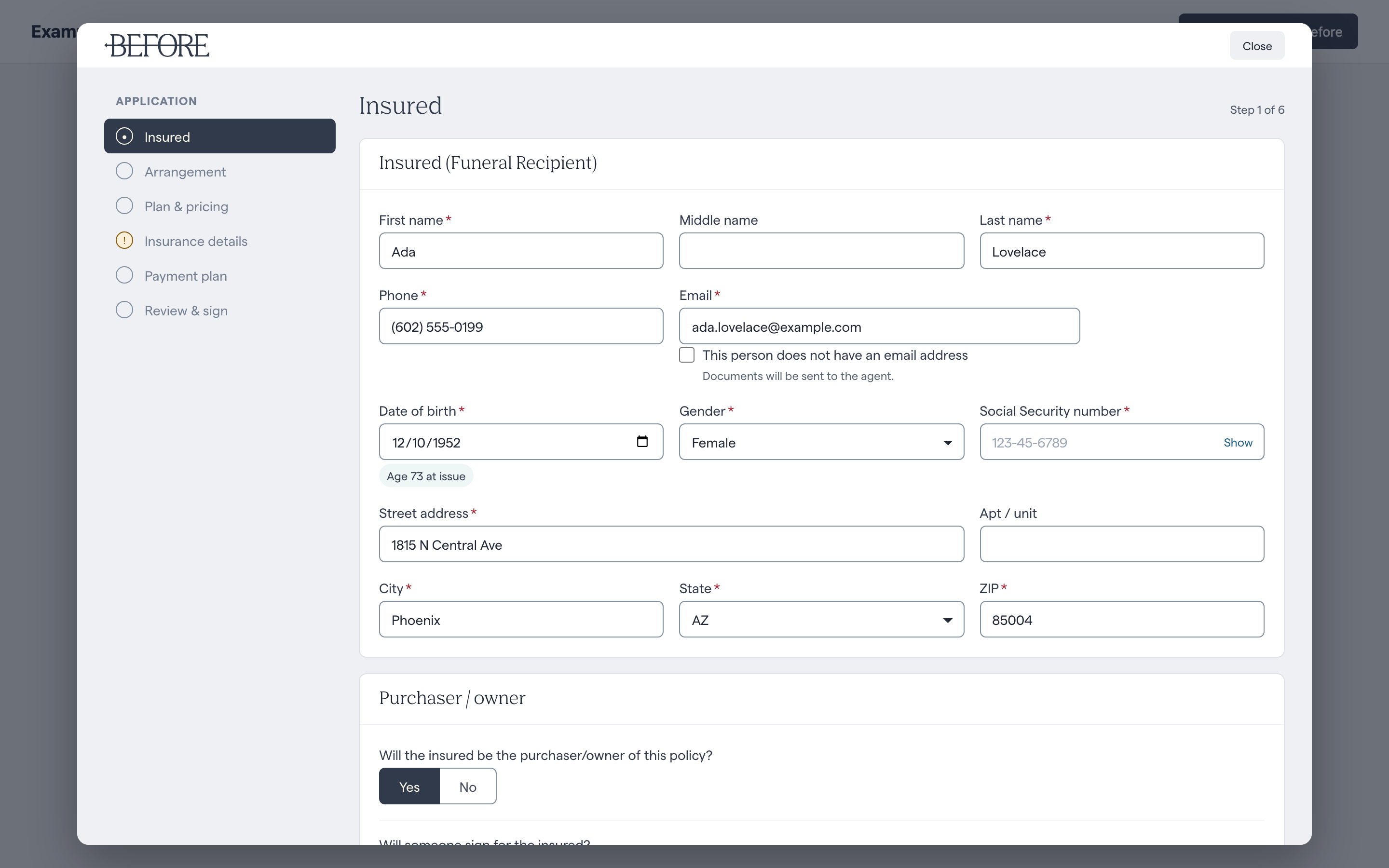
Before.open lays the wizard over your page, with the insured's details prefilled from the session.
The user finishes the sale in the modal. In test mode, sending the
documents for signature signs them at once, so onComplete fires as soon as
the user sends them.
4. Hear the outcome
Your webhook endpoint, registered by Before in step 1, receives sale.signed
within a minute of signing:
{
  "id": "0d3e5c3a-8f5e-4c43-9f0e-7d1b8f9a6b21",
  "type": "sale.signed",
  "created_at": "2026-10-21T16:04:11.000Z",
  "data": {
    "sale_id": "6f1c1f0e-2b7a-4d39-9d0f-2a4f0b1d7c55",
    "partner_reference": "case-1042",
    "status": "signed",
    "mode": "test",
    "policy": null
  }
}
Verify its signature before you trust it.
5. Read the sale
Any time, from your server:
curl https://api.before.com/v1/partner/sales/6f1c1f0e-2b7a-4d39-9d0f-2a4f0b1d7c55 \
  -H "Authorization: Bearer $BEFORE_API_KEY"
When you are ready for real sales, create a bk_live_ key in the Partner
Portal and change nothing else.